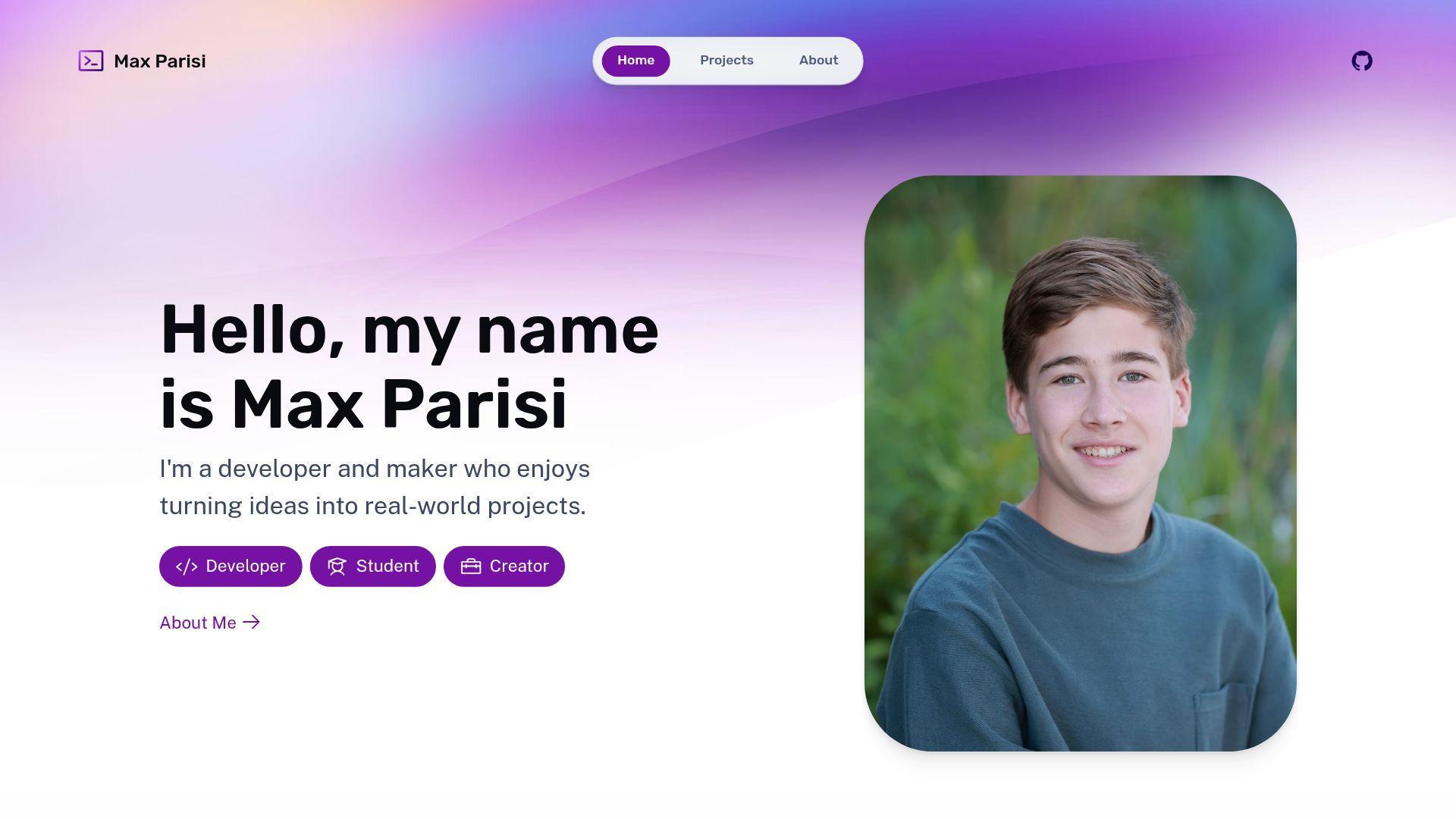
July 3, 2026.
That’s when I purchased the domain maxparisi.me.
Domain Registration
When I had the idea of making a website, I wanted a domain name that reflected me.
I could use something like my GitHub username, tinkerer9, but coding isn’t everything I do.
I wanted to use this domain for everything from sharing projects to sharing information about sports I play. Usernames wouldn’t cut it, so I knew I needed to use my name.
One issue: maxparisi.com was already taken.
I couldn’t use that.
TLDs
A top-level domains, otherwise known as a TLD, is the last part of the domain name.
Examples of generic TLDS (gTLDs) are .com and .org, but there are also TLDs based on country-codes (ccTLDs), such as .us and .uk.
Some country-code TLDs are “misused” for other purposes, such as .io for the British Indian Ocean Territory and .me for the country of Montenegro.
Many of these country-code TLDs have no restrictions, meaning anyone can register a domain name with them. And that’s what I did.
Cloudflare
I registered my domain, maxparisi.me, with Squarespace, but I didn’t want to make my website with them.
I’m a developer!
I used custom nameservers with Cloudflare, which not only functions as my DNS but also:
- protects my website with industry-standard security,
- shows me what’s happening with 100% free analytics,
- and hosts my portfolio with Cloudflare Workers across their global network.
And did I mention that all of that is for free?!
In fact, I’m considering transfering my domain registration for Cloudflare’s Registrar.
I’m not sponsored by Cloudflare at all, I think that they’re just great!
Web Framework
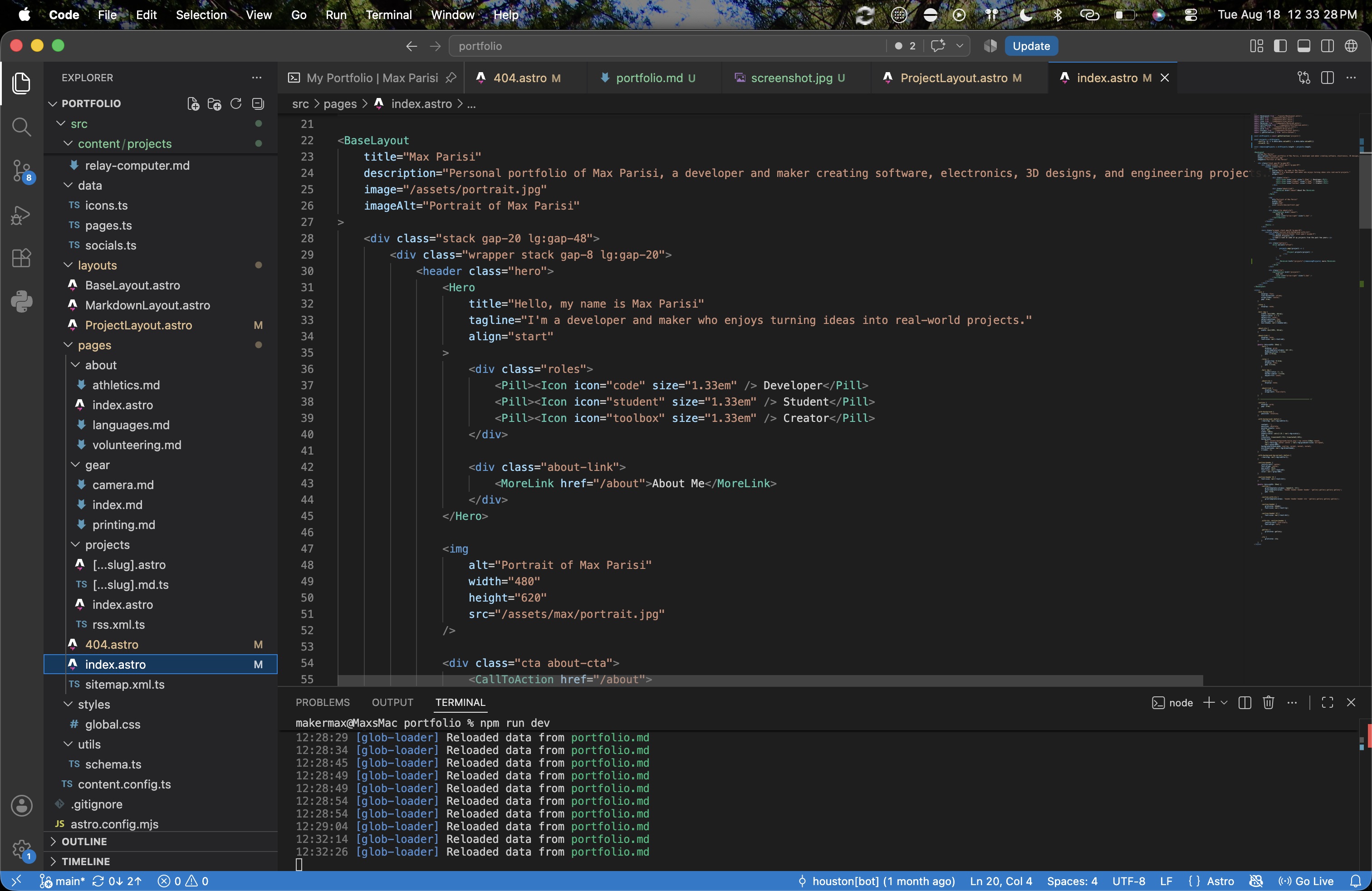
I already had subdomains hooked up, such as photos.maxparisi.me for sharing pictures I’ve taken and gh.maxparisi.me for GitHub Pages.
But what would I do for the apex/root domain? I decided to make a portfolio for this—but how?
While I could write my own HTML from scratch, I decided to use Astro, “the web framework for content-driven websites.”
This allows me to write my own components and layouts, such as a ProjectLayout.astro file for this very page!
I can also write in Markdown, which I do for every project page including this one.
Want to check out the source code behind this? Check out my GitHub repository!
Content Collections
Astro supports Content Collections, which allow me to write markdown files for each project I’ve made, and then to use a Dynamic Route to generate an HTML file for each project on build.
I’ve used this for generating an Astro file, projects/[...slug].astro, which compiles to HTML.
I also used a dynamic route for a Markdown file, projects/[...slug].md.ts which helps LLMs read my content more easily.
Redirects
Cloudflare Workers supports adding a _redirects file, which I can use for sharing short links instead of long ones.
For example, instead of sharing the full link to the GitHub repository with the source code to my portfolio, github.com/tinkerer9/portfolio, I can just share maxparisi.me/source.
I can also make dynamic redirects, such as maxparisi.me/gh/my-repo-name for github.com/tinkerer9/my-repo-name.
What if I want to share maxparisi.me/about/athletics?
That’s a long link, so I can also share maxparisi.me/sports, which redirects to the longer link.
Icons
For icons, I’m using the Phosphor Icons, an open-source icon family.
I made an <Icon /> Astro component that pulls SVG from a icons.ts object.
Commenting
I wanted my readers to be able to comment on my projects, but creating a whole backend database, authentication system, and user interface would be tricky. But what if someone already did that for me?
giscus is based on utterances, but instead uses GitHub Discussions as the backend.
Just by creating a <Comments /> Astro component and adding a simple script, readers could now comment on my projects, react to it, or even reply to each other!
Because it is based on GitHub Discussions, I can moderate and remove comments that don’t belong on my portfolio.
Try it out at the bottom of this page!
Easter Eggs
I have (at least) two easter eggs hidden on my website—they work on any page, so they shouldn’t be too find to hard. If you want a challenge, try to find them without looking at any source code—not even the HTML!
Because they’re supposed to be secret, I’m not going to share them here, but feel free to comment below if you find them!
404 Page
Have you ever clicked a link and gotten a 404 error?
I sure have.
But what does 404 mean?
When your browser requests a page from a website, the server returns the content but also a status code. Common examples of these are:
- 200 OK: The request succeeded and the server returned the requested data.
- 302 Found: The requested page has temporarily moved to another URL.
- 401 Unauthorized: The request requires authentication.
- 404 Not Found: The server cannot find the requested resource or URL.
- 500 Internal Server Error: The server encountered an unexpected condition.
When a server can’t find a requested resource, such as my server not finding /non-existent-page, it will return a 404 error telling the client that the page doesn’t exist, and often also returns a custom HTML error page.
But just telling the visitor that a page doesn’t exist isn’t enough. We can help them!
Just like how autocorrect works, my 404 page measures the Levenshtein distance between the requested path and the path of each existing page to find what the client may have been looking for. Check out the 404 page source code for more information.
Try it out!
Say you typed in the link to my about page, but accidentally switched the o and the u.
Visit maxparisi.me/abuot, and see the algorithm recommend the “About Me” page instead.
What I Learned
One year ago, I would not know how to make a website. Sure, I knew how to program in HTML and how to serve it on Node.js, but not how to use a web framework and serve it across the world.
Building my portfolio taught me so much, such as:
- Web frameworks (mainly Astro)
- Managing content collections
- Basic TypeScript in frontmatter
- Building sitemaps and RSS feeds
- Search Engine Optimization and OpenGraph
- and so much more!
Thank you for reading about this project! Feel free to leave a comment below: